Part 2 Installing Your Movie Live Tv apps
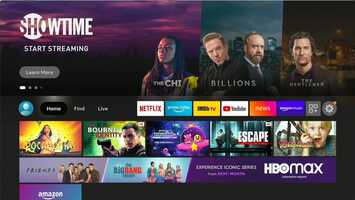
This is the free video Part 2 Installing Your Movie Live Tv apps that can be downloaded, played and edit with our RedcoolMedia movie maker MovieStudio free video editor online and AudioStudio free audio editor online

VIDEO DESCRIPTION:
Play, download and edit the free video Part 2 Installing Your Movie Live Tv apps.
Written Instructions:
Starting on firestick homepage, go to:
Find
Search
Type in Downloader
Select orange Downloader icon
Download it
Open
(POPUP)Permissions - ALLOW
Under "Enter a URL or Search Term type in:
95894
Select "Go"
Wait for it to redirect to
http://likemagictv.net
Select
AM PLAYER
Install
Select Done
Then click delete then click delete again
(The file it was downloaded on takes up space and you no longer need the file. The app is now installed)
Repeat that same process for
Cinema HD
Movie HD
AUTO- Tivimate
Fast task killer
Hit the home button on the remote to go back to the home page
Go all the way to the right to the three boxes with the plus sign
Scroll down to find the apps you installed (live tv app will say Live Tv)
To move the icons to the top, go to the icon for each app. Hold down the select button until it highlights then move it to the top.
IMPORTANT NOTE: click on the task killer every day to clear out unnecessary "junk" and keep your firestick running smoothly.
Download, play and edit free videos and free audios from Part 2 Installing Your Movie Live Tv apps using RedcoolMedia.net web apps