How to add a guarantor
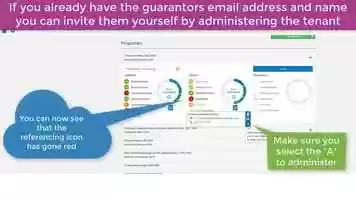
This is the free video How to add a guarantor that can be downloaded, played and edit with our RedcoolMedia movie maker MovieStudio free video editor online and AudioStudio free audio editor online

VIDEO DESCRIPTION:
Play, download and edit the free video How to add a guarantor.
Before you make any amendments please go to the tenancy information, tenancy details screen and check the "Do you wish to accept guarantors?", if this is set to "no" you will need to amend it to "yes". If you require a guarantor for all parties you can also amend "Require a guarantor for all parties?" to Yes too.
Once you have reviewed the tenancy information go to the home page and click referencing. You will then see "Requires Guarantor? - No - click to change" or "Requires Guarantor? - Yes". If it says "No - click to change" click on the blue link and you will see a message pop up to ask you to confirm the action, when you confirm the action an email will be sent to the teannt to ask them to add a guarantor.
If you already have the guarantors email address and name you can add them yourself by administering the tenant, select referencing and guarantors. Once you have added the details and saved them an email will be sent to the guarantor so they can register and complete their referencing form.
We strive to continuously update our platform to improve the user experience. If have any feedback about the platform, our customer service team or our videos, please feel free to contact us, to support us in supporting you.
Download, play and edit free videos and free audios from How to add a guarantor using RedcoolMedia.net web apps